
For organizers
Soccer tournament registration with one link
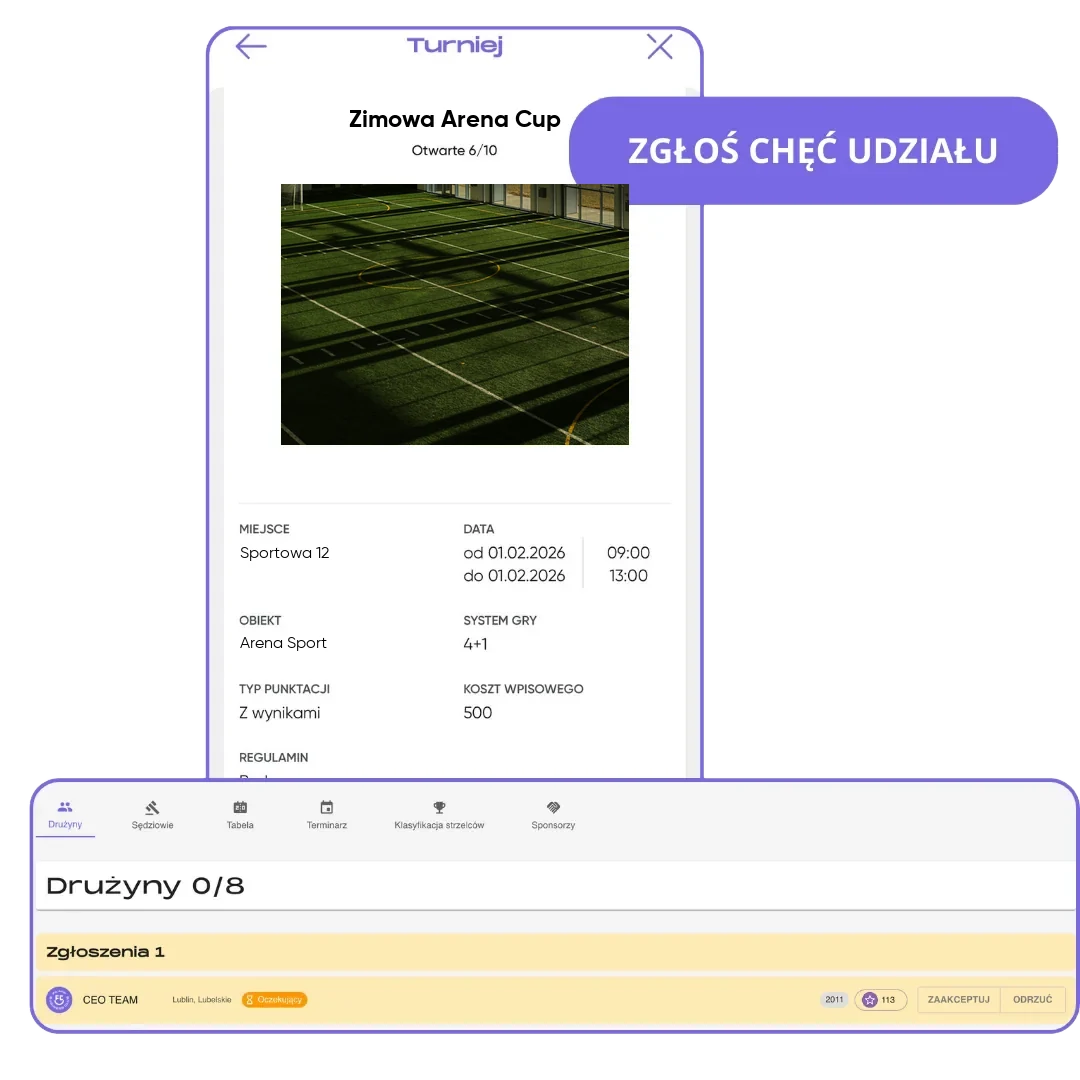
Soccer tournament registration without emails, phone calls or lists in a notebook. You send one link, every registration waits in FC.APP, and you accept or decline it with one click.
What you get
One place
All registrations are in one tab, not in five different messaging apps.
Full control
You decide which teams you accept into the tournament. The coach gets a notification about your decision.
Room for every team
You can add a team without an account as a guest team and fill in the details later.
How it works
- 1
Share the link
Through WhatsApp, email or social media.
- 2
Coaches sign up
With one button in the app, and you get a notification about every registration.
- 3
Pick your teams
Accept or decline, and open spots count down on their own.
No more registration lists in a notebook
Traditional tournament registration looks about the same at every club. One coach sends a text, another calls in the evening, a third leaves a message on Messenger, and the organizer copies it all into a notebook and counts how many spots are left. One mistake is enough for two teams to hear they got the last spot. In FC.APP, registrations land in one place, and the number of open spots is visible to everyone and updates on its own.
You send the tournament link where the coaches are: on WhatsApp, by email or on social media. The coach opens the tournament details in the app and requests to join. You get a notification about every new registration and accept only the teams that meet your criteria. An accepted team shows up on the participant list right away, and the coach sees the tournament in their events. We cover how to share your tournament and refer FC.APP separately.
You can run registration alongside invitations. You invite teams that are waiting in the FC.APP database directly, and once they accept, they go straight onto the confirmed list. If a team drops out, you remove it and accept another. If a coach doesn't use the app, you add their team as a guest team, so no one is left out for lack of an account.
When the number of confirmed teams matches the number of spots, the tournament switches to the "Pending" status on its own and stops accepting new registrations. You don't have to tell anyone the list is full. Then you approve the tournament and move on to setting up games in the bracket maker.
Frequently asked questions
How do I set up registration for a soccer tournament?
Create a tournament in FC.APP and send the link to coaches. Registrations land in one tab, and you accept or decline each one.
Do teams need an account?
A team's coach registers on their own from an account in the app. You can add a team without an account yourself as a guest team and fill in the details later.
Do I control registrations?
Yes. One link collects registrations from all teams, and you accept or decline each one. The coach gets a notification about the decision.
How do I know someone registered?
You get a push notification about every new registration.
What happens when all spots are taken?
The tournament switches to the "Pending" status on its own, and new registrations are no longer accepted.
How much does registration through FC.APP cost?
Organizers use FC.APP for $0, no matter how many teams they have.