
For organizers
Soccer tournament schedule maker with fields and game times
The schedule maker lays out games on fields and time slots from your settings: number of teams and fields, game length and breaks. Instead of an evening with a spreadsheet, you get a ready plan for the day.
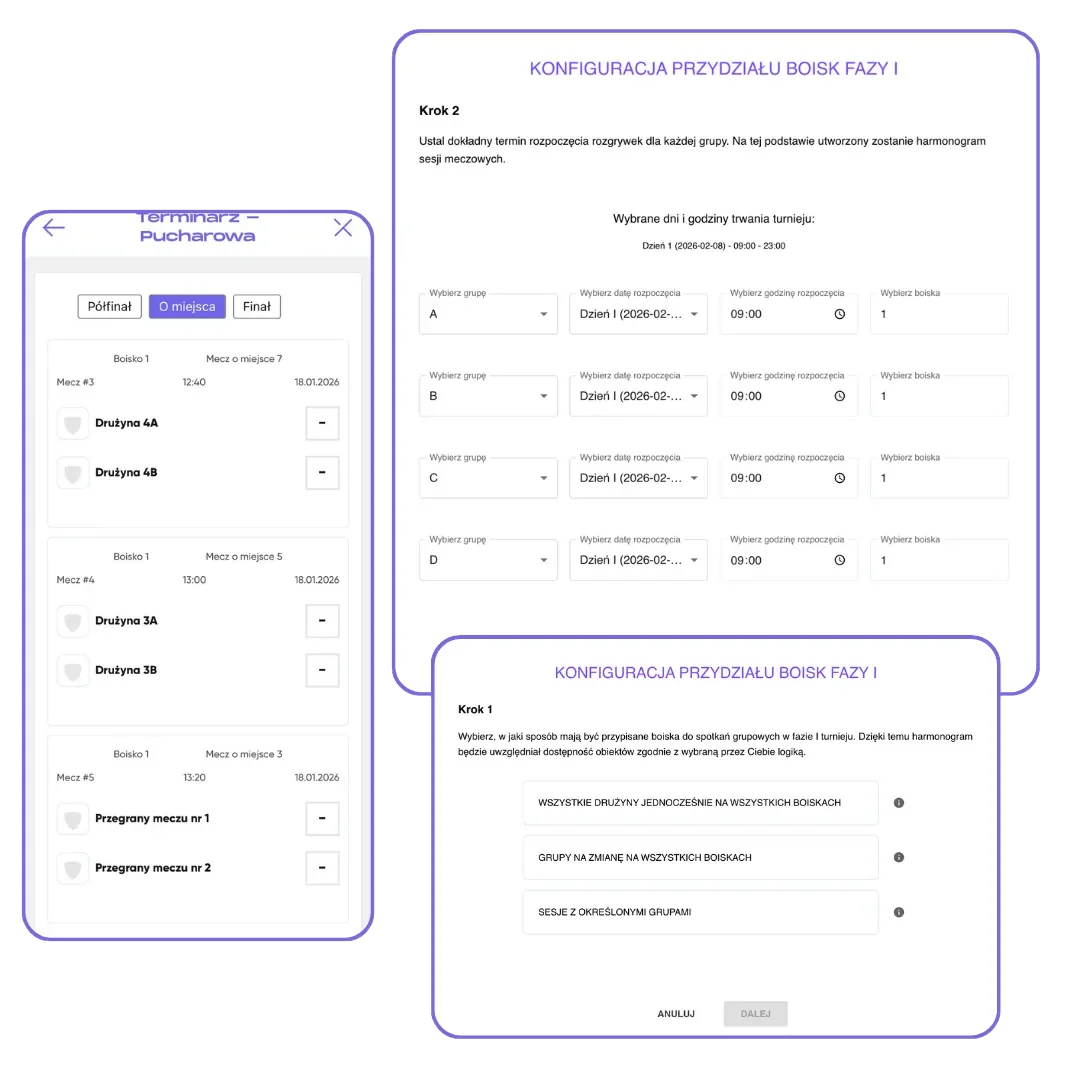
What you get
Hours less work
The automatic schedule accounts for fields, breaks, and the tournament days and hours.
No conflicts
When you build it by hand, FC.APP watches for field and time conflicts.
Easy changes
Swap games, drag them with your mouse and name the fields your way.
How it works
- 1
Set the limits
Fields, game and break length, days and hours of play.
- 2
FC.APP lays out the games
For both phases, with second-phase slots to fill after the first.
- 3
Fine-tune
A lunch break, swapped games, a different field. No starting over.
A plan for the day with no conflicts
Conflicts cause the most stress on game day: two teams assigned to one field, or a game that starts before the previous one ends. The schedule maker in FC.APP lays out games so they don't overlap. It takes into account the number of fields, game and break length, the days and hours of play, and on request an extra break, for example for lunch. If the games won't fit in the hours you set, you'll see it right away, before you publish, and can shorten the games or add a field.
You can build the schedule automatically or by hand. When you build it by hand, FC.APP watches for field and time conflicts, and you drag finished games with your mouse when something changes. In a two-phase tournament, the schedule maker also lays out the second phase right away, with slots to fill after the first. You name the fields your way, so the plan looks just like the facility you play at.
Coaches see the finished schedule in the app, always in its latest version. For the board by the field, you can download a PDF schedule with a QR code, and in the browser an Excel file too. The same engine works in a league: FC.APP lays out game weeks for the whole season on the weekdays and time slots you choose.
Frequently asked questions
How is a schedule maker different from a spreadsheet?
A spreadsheet has to be recalculated with every change. The schedule maker lays out games from your settings in a few seconds and makes sure fields and times don't conflict.
Does the schedule have to be automatic?
No. It can be automatic or built by hand. When you build it by hand, FC.APP checks for conflicts.
What rules can I set?
The number of fields, game and break length, days and hours of play, an extra break, and field and time assignments.
Does the schedule maker work for a league?
Yes. In a league, FC.APP lays out games on the weekdays and time slots you choose, in one or two rounds.
Can I download the schedule?
Yes. Organizers can download the schedule in the browser, and the tournament and league schedule as a printable PDF too.